I wanted to take the bar further by adding some broadcast television to my beloved TL. Working at a car audio shop you tend to have some innovative electrical thinking and I thought of how easy it would be to add TV to any in-vehicle monitor due to the convenience of the new ZENITH DTV CONVERTER BOX. After Feb 09 as everyone should know analog broadcasts are being shut down so, out comes the DTV Tuner Box from Zenith to aid in receiving the new digital signals. This make a universal and relatively inexpensive add-on for TV.
Requirements:
-Some type of monitor/display for your vehicle or Navi monitor hack for your OEM Nav
-DTV Converter Box mine was made by Zenith, (picked up from my local Circuit City $60 w/o coupon, $20 with coupon), just make sure it has Video and Audio outputs
-Power inverter my guess is about 50-75 watts, nothing to high maybe $30-$40
-Extension Cord $5
My total cost was $65 not including my original headrest investment.
Though my DIY isn't too thorough its an easy install as long as you can use a pair of wire strippers and a ratchet.
1. Find a location for the DTV box that is easy enough for you to mount/place/wire/install or anything else required for where you want to put it. I chose to mount mine with some velcro on the rear deck next to the factory sub location. It had a perfect square to hold the box in turns along with the velcro. Picture below:
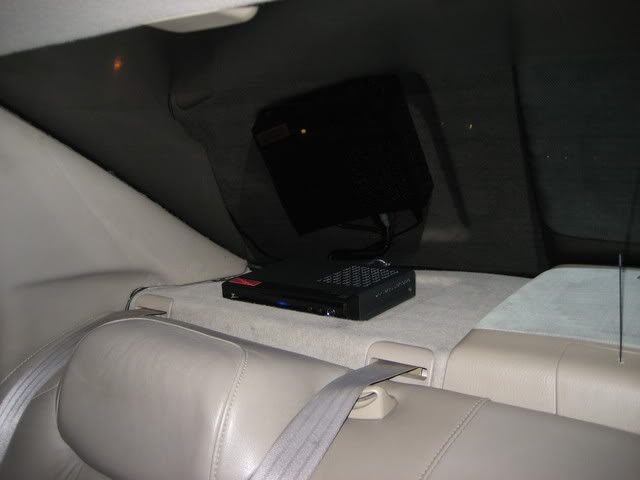
2. Once I had chosen the box location I began to route the wires behind the carpeted panel that the box sits on, I tucked them in between the window and panel, routing them around the back panel to the door and down the side of the seat to the bottom of the backseat.
3. I then found a location convenient for the power inverter, since my amps were mounted in the back with 12 volts of high current amp wire from the batter I figured that would be the perfect source for the inverter. I mounted it in the left side of the trunk behind the carpet with the extension cord running through the back seat to come out from under the seat wear the DTV box would plug in and hide the connection easily under the seat when snapped back in place.
4. Next is to route the signal wires for the output to the TV. I had mine follow the power wires down to the seat then hidden under the plastic panels to the seat and then to the headrest box. This will vary based on your monitor situation. Just hide the wires well and make sure they won't get damaged or pinched.
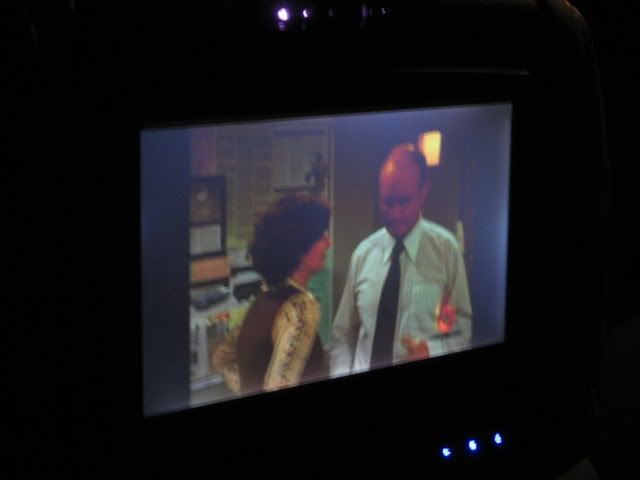
5. Once the wires are all hidden and hooked up thats it! Hide all the wires, wire lume them up zip tie them neatly and securely and enjoy. This pic is of my headrest TV's with my channel 6 displayed.